
AI presentation maker
Description
In todays fast paced digital world, creating professional presentations quickly is no longer a luxury its a necessity. Whether you are a student, marketer, business owner or trainer, you often need slides that look polished, clear and engaging. This is where an AI presentation maker becomes a powerful solution.
As a senior industry expert and professional content creator, I can confidently say that AI powered presentation tools have transformed how we design slides. Instead of spending hours adjusting layouts, choosing fonts and formatting content, users can now generate complete presentations within minutes using artificial intelligence.
More AI APP or TOOLS visit Sudowrite AI
What Is AI Presentation Maker?
An AI presentation maker is a software tool that uses artificial intelligence to automatically create presentation slides based on user input. Instead of manually building slides from scratch, users provide a topic, outline or text prompt, and the system create structured slides with content, design, visuals and formatting.
AI presentation maker often use advanced language models and design algorithms to.
- Makes slide content
- Suggest titles and bullet points
- Add images or icons
- Apply design themes
- Maintain visual consistency
Popular examples include.
- Canva (Magic Design feature)
- Beautiful AI
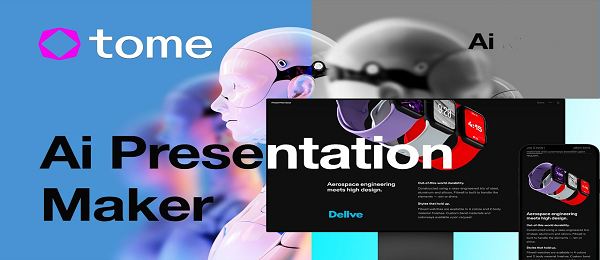
- Tome
- Microsoft PowerPoint with Copilot
- Google Slides with AI integrations
In simple words, it acts like a smart assistant that designs and writes slides for you.
Key Features of AI Presentation Maker
1. Automated Slide Generation
You enter a topic such as Digital Marketing Strategy or Business Plan Overview, and the tool creates a full slide deck automatically.
2. Smart Content Creation
The AI makes headings, bullet points and structured content that follows logical flow.
3. Design Automation
Layouts, fonts, colors and alignment are handled automatically. The slides look professional without manual formatting.
4. Template Suggestions
The tool recommends templates based on the presentation type business, education, pitch deck, training etc.
5. Image & Icon Integration
Many tools suggest relevant stock images or icons to match your topic.
6. Content Refinement
You can ask the AI to.
- Simplify language
- Expand points
- Make it more persuasive
- Adjust tone (formal, casual, professional)
7. Collaboration Tools
Some platforms allow real time team editing and sharing.
8. Export Options
Presentations can be exported as:
- PPT
- Shareable links
How It Works
Understanding the process helps you use the tool more effectively.
Step 1: Input Your Topic
You type a prompt like.
Create a 10 slide presentation on Artificial Intelligence in Healthcare.
Step 2: AI Processes the Request
The system analyzes,
- Topic meaning
- Structure requirements
- Audience type
- Presentation length
Step 3: Content Structuring
The AI creates,
- Title slide
- Introduction
- Main sections
- Conclusion
Step 4: Design Application
The tool automatically,
- Applies a theme
- Selects fonts
- Aligns elements
- Adds visuals
Step 5: Customization
You review and edit,
- Add specific data
- Modify tone
- Adjust slide order
In most cases, the entire process takes less than 5 minutes.
Advantages of AI Presentation Maker
1. Saves Time
What used to take 3 4 hours can now be done in minutes.
2. No Design Skills Needed
Even beginners can create professional slides.
3. Consistent Formatting
Slides maintain visual harmony automatically.
4. Idea Generation
AI helps when you are stuck or unsure how to structure your presentation.
5. Improved Productivity
Professionals can focus more on strategy and delivery rather than design.
6. Scalable for Businesses
Companies can quickly produce training decks, sales pitches and internal reports.
Disadvantages of AI Presentation Maker
1. Generic Content
AI may produce common or surface level content if prompts are not detailed.
2. Limited Deep Customization
Highly creative or unique designs may still require manual editing.
3. Dependence on Internet
Most tools require an active internet connection.
4. Data Privacy Concerns
Sensitive business data should be handled carefully.
5. Over Reliance Risk
Users may rely too much on AI and reduce critical thinking.
Use Cases and Examples
1. Business Pitch Deck
Startup founders can makes investor presentations quickly.
Example:
A founder types SaaS startup pitch deck and gets,
- Problem
- Solution
- Market Opportunity
- Revenue Model
- Financial Projections
2. Educational Presentations
Teachers create lecture slides instantly.
3. Marketing Campaign Reports
Marketers generate campaign summaries for clients.
4. Corporate Training
HR teams prepare onboarding materials efficiently.
5. Student Assignments
Students build academic presentations with structured outlines.
Limitations
Even though AI presentation tools are powerful, they are not perfect.
1. Limited Creativity Depth
AI follows patterns. It may not produce groundbreaking design concepts.
2. Context Misunderstanding
If the prompt is vague, results may be inaccurate.
3. Lack of Emotional Intelligence
AI cannot fully understand audience psychology like a human presenter.
4. Data Accuracy Issues
Always verify facts and statistics before presenting.
Cost Structure and Availability
Pricing varies depending on the platform.
Free Plans
Most tools offer limited free versions with,
- Basic templates
- Limited exports
- Watermarks
Paid Plans
Paid subscriptions usually include,
- Premium templates
- Brand customization
- Advanced AI features
- Team collaboration
Approximate Pricing Range
- Basic: $10–$15 per month
- Professional: $20–$40 per month
- Enterprise: Custom pricing
Many platforms offer monthly and yearly billing options.
Pros and Cons
Pros
- Fast creation
- Professional designs
- Easy to use
- Good for beginners
- Improves workflow
Cons
- May lack originality
- Requires editing
- Subscription costs
- Data privacy concerns
How to Download AI Presentation Maker
Most AI presentation makers are cloud based and do not require downloading. However, heres the general process,
Web Based Tools
- Visit the official website.
- Create an account.
- Start generating presentations online.
Desktop Software
For tools integrated with software like Microsoft PowerPoint,
- Install Microsoft Office.
- Enable AI assistant (if available in your region).
- Log in with your subscription account.
Mobile Apps
Some platforms offer apps via,
- Google Play Store
- Apple App Store
Always download from official sources to avoid security risks.
Review (Expert Opinion)
From a professional standpoint, an AI presentation maker is not just a trend it is a practical productivity tool.
It works best when,
- You provide clear instructions
- You refine the output
- You combine AI efficiency with human judgment
For routine business slides, educational material and structured reports, AI tools perform exceptionally well.
However, for high stakes investor pitches or creative storytelling projects, human customization remains essential.
Conclusion
AI presentation makers have changed how we approach slide creation. They save time, reduce design effort and make professional presentations accessible to everyone.
However, the key to success is balance. Use AI as an assistant, not a replacement for your expertise. Always review content, personalize your message and adapt slides for your specific audience.
If used wisely, AI presentation tools can significantly improve your process, communication quality and overall productivity.
FAQs
1. Is AI presentation maker free to use?
Most tools offer free versions, but advanced features require paid plans.
2. Can AI create a complete presentation automatically?
Yes, it can generate full slide decks based on a topic or prompt.
3. Is AI generated content accurate?
It is generally reliable but should always be fact checked.
4. Can I edit AI generated slides?
Yes, all slides can be manually edited and customized.
5. Is it suitable for students?
Yes, it is very helpful for academic presentations.
6. Does it replace human designers?
No. It supports designers but does not fully replace creative professionals.
Download links
How to install AI presentation maker APK?
1. Tap the downloaded AI presentation maker APK file.
2. Touch install.
3. Follow the steps on the screen.




