
Introduction
In today’s fast-moving digital world, building a professional website no longer requires advanced coding skills. Businesses, freelancers, bloggers, and eCommerce brands all need fast, visually appealing, and optimized websites. This is where Elementor AI enters the picture. It combines the power of artificial intelligence with one of the most popular WordPress page builders, helping users design, write, and optimize websites more efficiently.
Elementor has already transformed website creation by offering a drag-and-drop builder. Now, with AI integration, it goes a step further. Instead of manually writing content, generating code, or designing layouts from scratch, users can rely on smart automation. In this article, we will explore everything about Elementor AI — from features and working process to pricing, benefits, limitations, and practical use cases.
What is Elementor AI?
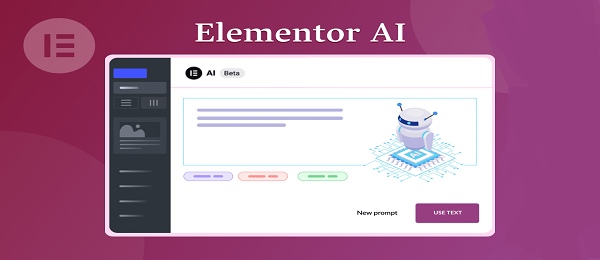
Elementor AI is an artificial intelligence feature built directly inside the Elementor website builder for WordPress. It helps users generate text, create custom code, translate content, improve copywriting, and design layouts using AI assistance.
Unlike standalone AI writing tools, Elementor AI works inside your website builder. This means you can generate content exactly where you need it — whether it's a heading, product description, call-to-action button, or custom CSS.
In simple words, Elementor AI is like a smart assistant that helps you build websites faster and smarter without switching between multiple tools.
Key Features of Elementor AI
AI Content Generation
Elementor AI can create headings, paragraphs, product descriptions, and marketing copy instantly. You can also adjust tone, length, and style according to your needs.
Code Generation
It can generate custom CSS and HTML code based on your instructions. Even if you are not a developer, you can add advanced styling with simple prompts.
Text Improvement
Already written content can be improved, simplified, shortened, or expanded using AI suggestions.
Translation
Elementor AI can translate text into different languages, making it easier to build multilingual websites.
Custom Prompt Support
Users can give specific instructions such as “write a professional hero section for a digital agency” and get tailored results.
Built-in Workflow
Because it is integrated directly inside Elementor, there is no need to copy and paste content from external AI tools.
How It Work
Elementor AI works directly within the Elementor editor interface. Once activated, users can access the AI option inside text widgets, heading widgets, or code sections.
Here’s how it works step by step:
-
Open Elementor editor in WordPress.
-
Add a text or heading widget.
-
Click on “Write with AI.”
-
Enter a prompt describing what you need.
-
AI generates content instantly.
-
Edit or refine if required.
-
Publish your page.
The same process applies to generating CSS or improving content. The AI understands context and produces content relevant to the section where it is used.
Advantages
Faster Website Creation
Elementor AI significantly reduces the time required to design and write website content.
Beginner Friendly
Even users without writing or coding skills can create professional websites.
Improved Productivity
Agencies and freelancers can handle more projects in less time.
Content Optimization
It helps refine content for clarity, engagement, and SEO friendliness.
Seamless Integration
No need for external AI platforms. Everything works within WordPress.
Dis Advantages
Subscription Cost
Elementor AI is not completely free and may require additional payment.
AI Limitations
Generated content may sometimes need editing to ensure accuracy and uniqueness.
Dependency Risk
Over-reliance on AI may reduce creative control.
Not Fully Automated
You still need human review before publishing important pages.
Use Cases and Example
Website Landing Pages
A digital marketing agency can generate homepage content, service descriptions, and CTA sections quickly.
eCommerce Stores
Online store owners can create product descriptions in seconds.
Blogging
Bloggers can draft outlines and introductory paragraphs easily.
Portfolio Websites
Freelancers can build “About Me” sections and service pages efficiently.
Example
Suppose you are creating a website for a fitness coach. Instead of writing everything manually, you can prompt:
“Write a motivational hero section for a certified fitness trainer helping clients lose weight.”
Elementor AI will instantly generate a structured and engaging section ready to use.
Limitation
While Elementor AI is powerful, it has certain limitations:
-
It depends on clear instructions.
-
It may produce generic content if prompts are not detailed.
-
Advanced developers may still need manual coding for complex projects.
-
Fact-checking is necessary for technical or medical content.
AI is a helper, not a replacement for professional judgment.
Cost Structure and Availability
Elementor AI is available as an add-on feature within Elementor. Pricing may vary depending on usage limits and subscription plans. Typically, users need an active Elementor subscription to access AI features.
It works only with WordPress websites using Elementor. Availability depends on Elementor’s official plans and updates.
Before purchasing, users should check:
-
Word limit per month
-
Plan compatibility
-
Renewal pricing
-
Support availability
Pro and Cons
Pros
-
Easy to use
-
Saves time
-
Improves writing quality
-
Built-in integration
-
Supports code generation
Cons
-
Extra cost
-
Requires editing
-
Not a replacement for expert strategy
-
Usage limits may apply
How to Download
Elementor AI is not a separate download. To use it:
-
Install WordPress.
-
Install Elementor plugin.
-
Upgrade to a plan that includes AI.
-
Activate AI from Elementor settings.
-
Start using it inside the editor.
All updates are handled directly through WordPress plugin updates.
Review
Elementor AI is a smart addition to the already powerful Elementor ecosystem. It makes website building more accessible for beginners while increasing efficiency for professionals.
For freelancers and agencies, it reduces content creation time. For small businesses, it lowers dependency on multiple tools. However, it should be used as an assistant rather than a complete replacement for human creativity.
Overall, Elementor AI provides strong value for those who regularly build websites using WordPress.
Conclusion
Elementor AI represents the future of website building. By combining artificial intelligence with a visual page builder, it simplifies content writing, coding, and optimization.
Although it has some limitations, its advantages clearly outweigh its drawbacks for most users. Whether you are a freelancer, agency owner, blogger, or entrepreneur, Elementor AI can help you create professional websites faster and smarter.
The key is to use it wisely — give clear prompts, review generated content, and maintain your brand voice. When used correctly, Elementor AI becomes a powerful digital assistant in modern web development.
FAQs
Is Elementor AI free?
It may offer limited access, but full features usually require a paid plan.
Does Elementor AI replace content writers?
No. It helps generate drafts, but human editing and strategy are still important.
Can it generate custom CSS?
Yes, it can generate CSS based on your instructions.
Is it good for SEO?
It can help structure content in an SEO-friendly way, but proper keyword research and optimization are still required.
Who should use Elementor AI?
Freelancers, agencies, bloggers, small businesses, and anyone building WordPress websites with Elementor.
Introduction
In today’s fast-moving digital world, building a professional website no longer requires advanced coding skills. Businesses, freelancers, bloggers, and eCommerce brands all need fast, visually appealing, and optimized websites. This is where Elementor AI enters the picture. It combines the power of artificial intelligence with one of the most popular WordPress page builders, helping users design, write, and optimize websites more efficiently.
Elementor has already transformed website creation by offering a drag-and-drop builder. Now, with AI integration, it goes a step further. Instead of manually writing content, generating code, or designing layouts from scratch, users can rely on smart automation. In this article, we will explore everything about Elementor AI — from features and working process to pricing, benefits, limitations, and practical use cases.
What is Elementor AI?
Elementor AI is an artificial intelligence feature built directly inside the Elementor website builder for WordPress. It helps users generate text, create custom code, translate content, improve copywriting, and design layouts using AI assistance.
Unlike standalone AI writing tools, Elementor AI works inside your website builder. This means you can generate content exactly where you need it — whether it's a heading, product description, call-to-action button, or custom CSS.
In simple words, Elementor AI is like a smart assistant that helps you build websites faster and smarter without switching between multiple tools.
Key Features of Elementor AI
AI Content Generation
Elementor AI can create headings, paragraphs, product descriptions, and marketing copy instantly. You can also adjust tone, length, and style according to your needs.
Code Generation
It can generate custom CSS and HTML code based on your instructions. Even if you are not a developer, you can add advanced styling with simple prompts.
Text Improvement
Already written content can be improved, simplified, shortened, or expanded using AI suggestions.
Translation
Elementor AI can translate text into different languages, making it easier to build multilingual websites.
Custom Prompt Support
Users can give specific instructions such as “write a professional hero section for a digital agency” and get tailored results.
Built-in Workflow
Because it is integrated directly inside Elementor, there is no need to copy and paste content from external AI tools.
How It Work
Elementor AI works directly within the Elementor editor interface. Once activated, users can access the AI option inside text widgets, heading widgets, or code sections.
Here’s how it works step by step:
-
Open Elementor editor in WordPress.
-
Add a text or heading widget.
-
Click on “Write with AI.”
-
Enter a prompt describing what you need.
-
AI generates content instantly.
-
Edit or refine if required.
-
Publish your page.
The same process applies to generating CSS or improving content. The AI understands context and produces content relevant to the section where it is used.
Advantages
Faster Website Creation
Elementor AI significantly reduces the time required to design and write website content.
Beginner Friendly
Even users without writing or coding skills can create professional websites.
Improved Productivity
Agencies and freelancers can handle more projects in less time.
Content Optimization
It helps refine content for clarity, engagement, and SEO friendliness.
Seamless Integration
No need for external AI platforms. Everything works within WordPress.
Dis Advantages
Subscription Cost
Elementor AI is not completely free and may require additional payment.
AI Limitations
Generated content may sometimes need editing to ensure accuracy and uniqueness.
Dependency Risk
Over-reliance on AI may reduce creative control.
Not Fully Automated
You still need human review before publishing important pages.
Use Cases and Example
Website Landing Pages
A digital marketing agency can generate homepage content, service descriptions, and CTA sections quickly.
eCommerce Stores
Online store owners can create product descriptions in seconds.
Blogging
Bloggers can draft outlines and introductory paragraphs easily.
Portfolio Websites
Freelancers can build “About Me” sections and service pages efficiently.
Example
Suppose you are creating a website for a fitness coach. Instead of writing everything manually, you can prompt:
“Write a motivational hero section for a certified fitness trainer helping clients lose weight.”
Elementor AI will instantly generate a structured and engaging section ready to use.
Limitation
While Elementor AI is powerful, it has certain limitations:
-
It depends on clear instructions.
-
It may produce generic content if prompts are not detailed.
-
Advanced developers may still need manual coding for complex projects.
-
Fact-checking is necessary for technical or medical content.
AI is a helper, not a replacement for professional judgment.
Cost Structure and Availability
Elementor AI is available as an add-on feature within Elementor. Pricing may vary depending on usage limits and subscription plans. Typically, users need an active Elementor subscription to access AI features.
It works only with WordPress websites using Elementor. Availability depends on Elementor’s official plans and updates.
Before purchasing, users should check:
-
Word limit per month
-
Plan compatibility
-
Renewal pricing
-
Support availability
Pro and Cons
Pros
-
Easy to use
-
Saves time
-
Improves writing quality
-
Built-in integration
-
Supports code generation
Cons
-
Extra cost
-
Requires editing
-
Not a replacement for expert strategy
-
Usage limits may apply
How to Download
Elementor AI is not a separate download. To use it:
-
Install WordPress.
-
Install Elementor plugin.
-
Upgrade to a plan that includes AI.
-
Activate AI from Elementor settings.
-
Start using it inside the editor.
All updates are handled directly through WordPress plugin updates.
Review
Elementor AI is a smart addition to the already powerful Elementor ecosystem. It makes website building more accessible for beginners while increasing efficiency for professionals.
For freelancers and agencies, it reduces content creation time. For small businesses, it lowers dependency on multiple tools. However, it should be used as an assistant rather than a complete replacement for human creativity.
Overall, Elementor AI provides strong value for those who regularly build websites using WordPress.
Conclusion
Elementor AI represents the future of website building. By combining artificial intelligence with a visual page builder, it simplifies content writing, coding, and optimization.
Although it has some limitations, its advantages clearly outweigh its drawbacks for most users. Whether you are a freelancer, agency owner, blogger, or entrepreneur, Elementor AI can help you create professional websites faster and smarter.
The key is to use it wisely — give clear prompts, review generated content, and maintain your brand voice. When used correctly, Elementor AI becomes a powerful digital assistant in modern web development.
FAQs
Is Elementor AI free?
It may offer limited access, but full features usually require a paid plan.
Does Elementor AI replace content writers?
No. It helps generate drafts, but human editing and strategy are still important.
Can it generate custom CSS?
Yes, it can generate CSS based on your instructions.
Is it good for SEO?
It can help structure content in an SEO-friendly way, but proper keyword research and optimization are still required.
Who should use Elementor AI?
Freelancers, agencies, bloggers, small businesses, and anyone building WordPress websites with Elementor.




