Otter AI
Description
In the technology or modern world, keeping track of conversations, lectures and meetings is very important. Also, it is for professional work, school or personal use, having correct notes can save time and clear mistakes. Otter AI has become a trusted tool that simplifies this process by converting spoken words into written text fast and easily. Its popularity is increasing fast across the world. Many people are turning to it because it helps manage daily life tasks easily.
Moreover, with the increase of online meetings, virtual classis and workshops, a tool like Otter AI is more useful than ever for recording and organizing conversations. In addition, this platform offers practical solutions for everyday tasks. From taking notes during lectures to recording business meetings or even planning personal projects, the tool makes information easy to store, search and use again. Furthermore, it is accessible on multiple devices, so anyone can download it and using it.
More AI apps visit Tableau AI
What is Otter AI?
Otter AI is an intelligent transcription application that converts spoken words into text automatically. It uses artificial intelligence to understand language, identify speakers and structure sentences correctly. Unlike traditional note taking methods, it saves both time and effort while producing accurate and readable transcripts.
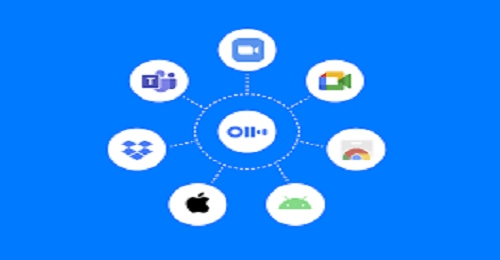
The Otter AI can record live conversations or process uploaded audio files. Its AI recognizes different speakers and can handle natural pauses and informal language, making it easy for business, education and daily life. Moreover, it confirms that transcripts are clear and organized, so users can easily refer back to them.
Furthermore, Otter AI can integrate with platforms like Zoom, Microsoft Teams and Google Meet. This allows users to capture meetings automatically without manual step. It is especially useful for virtual classrooms, online training classis and work from home situations where recording spoken content is necessary.
Advantages of Otter AI
- Automatic Transcription Otter AI changes voice into text automatically. You do not need to type.
- Saves Time It saves a lot of time for students and office workers.
- Easy to Use The app and website are simple. Anyone can use it easily.
- Live Notes It writes notes while the meeting or class is online.
- Search Words You can search any word in the text and find it easily.
- Sharing Option You can share notes with your team or friends.
Disadvantages of Otter AI
- Needs Internet This AI does not work without internet.
- Accent Issues Sometimes it does not understand local words clearly.
- Limited Free Plan The free version gives limited minutes.
- Noise Problems Background noise can cause wrong words.
- Privacy Risk It may not be best for very private meetings.
Examples of Otter AI Use
- Online Classes Students record lectures and read them later as text.
- Office Meetings Meeting notes are created automatically.
- Interviews Journalists turn interviews into text easily.
- YouTube Videos Creators make video scripts from audio.
- Podcasts Podcasters create written notes from episodes.
Key Features
This platform comes with several features that make transcription fast and easier.
- Real Time Transcription Convert speech into text immediately during live discussions or online classes.
- Speaker Recognition Identifies multiple speakers and labels them clearly.
- Searchable Transcripts Find specific words or phrases faster in transcripts.
- Custom Vocabulary Add special words or local words to improve accuracy.
- Integration with Tools Works with Zoom and Google Meet without any issues.
- Export Options Download transcripts in PDF, TXT or DOCX formats for easy use.
Moreover, these features make it practical not only for professional work but also for everyday activities, like tracking personal meetings or family discussions.
Additional Features
In addition to its main functions, this AI tool provides extra tools to make transcription more useful.
- Highlighting and Notes Users can mark important sections and add comments to transcripts.
- Automatic Summaries The AI generates brief summaries of long conversations.
- Voice Notes Add personal notes or reminders to a transcript while reviewing it.
- Shared Folders Collaborate with colleagues, classmates or family members by sharing notes.
- Cloud Storage Secure storage ensures transcripts are accessible from any device at any time.
Furthermore, these features make Otter AI suitable for daily life use.
Review
This AI platform has received positive feedback from professionals, students and everyday users. Professionals appreciate the accuracy and ability to record meetings without distraction. Students find it useful for reviewing lectures or topics.
Moreover, individuals use it to record workshops, seminars and personal life conversations for future reference. Across the world, the app is becoming highly popular as it allows users to organize information efficiently. Users highlight that real time transcription and multi speaker identification save time and reduce confusion.
Also, the simple interface makes it easy for beginners to start using the tool, while experienced users can take advantage of additional or new features. The free version offers basic features, while premium subscriptions provide extended transcription limits, better team tools and priority support, making it suitable for professional and daily use.
Categories of Use
- Business Professionals Record meetings, calls and discussions to maintain correct notes.
- Students and Teachers Capture lectures, seminars and group discussions for easy review.
- Content Creators Convert recorded audio into blogs, scripts or social media content.
- Freelancers Offer transcription services to clients.
- Everyday Life Use Record family meetings, workshops or personal notes to stay organized.
Moreover, this wide use shows how flexible the tool is, making it useful for both professional work and daily life tasks.
Tips and Tricks
To get the best results, follow these useful tips when using the tool:
- Use Clear Audio High quality microphones conditions improve transcription accuracy.
- Label Speakers Assign names to voices to maintain clarity in transcripts.
- Add Custom Vocabulary Include local terms or specialized words for better results.
- Highlight Important Points Mark key sections for easy find later.
- Link with Online Platforms Integrate with Zoom or Teams to automatically record virtual meetings.
Furthermore, reviewing transcripts regularly helps improve the AI recognition, which increases accuracy over time.
How to Download Otter AI
Downloading and installing is straightforward:
- Mobile Devices Available on Android via Google Play Store and on iOS via Apple App Store.
- Desktop Accessible on Windows through the official Otter AI website.
- Web Version Use the tool directly in a browser without installing it.
In addition, setup is guided, including microphone permissions and platform integration. Once installed, users can start recording immediately for work, school or personal tasks.
Conclusion
This AI is a useful tool that makes transcription easy and helps people work better in both professional and daily life. Its growing popularity across the world shows that it saves time and helps users manage information more easily.
Moreover, features like real time transcription make daily tasks simpler and more efficient. In addition, the extra tools such as highlights, shared folders and automatic summaries allow users to manage content more effectively. Furthermore, the simple interface and multi device support make it useful to all users from beginners to experienced.
By using AI, anyone can transform spoken words into simple, searchable and valuable text. Whether for business, study or daily life, it serves as a reliable companion for managing conversations and ideas.
FAQs
Q1: Is this AI platform free?
A: Yes, the free plan provides limited transcription minutes. Premium plans offer extended features.
Q2: Can it recognize multiple speakers?
A: Yes, it can identify and label each speaker in a conversation.
Q3: Which platforms support this AI?
A: It works on Android, iOS, Windows and web browsers.
Q4: How accurate is the transcription?
A: Accuracy is high, especially with clear audio and proper speaker labeling.
Q5: Can Otter AI help in daily life?
A: Yes, it is useful for family meetings, personal notes, online classes and workshops.
Q6: Is my data secure?
A: Yes, all transcripts are stored securely in the cloud and protected with privacy measures.
What's new
Otter AI: How to Use in Daily Life
Introduction
In the technology or modern world, keeping track of conversations, lectures, and meetings is very important. Also, it is for professional work, school, or personal use; having accurate notes can save time and clear mistakes. This tool has become a trusted tool that simplifies this process by converting spoken words into written text quickly and easily. Its popularity is growing rapidly across the world. Many people are turning to it because it helps manage daily life tasks efficiently.
Moreover, with the rise of online meetings, virtual classrooms, and workshops, a tool like this is more useful than ever for recording and organizing conversations. In addition, this platform offers practical solutions for everyday tasks. From taking notes during lectures to recording business meetings or even planning personal projects, the tool makes information easy to store, search, and use again. Furthermore, it is accessible on multiple devices, so anyone can download it and start using it.
What is Otter AI?
This tool is an intelligent transcription application that converts spoken words into text automatically. It uses artificial intelligence to understand language, identify speakers, and structure sentences correctly. Unlike traditional note-taking methods, it saves both time and effort while producing accurate and readable transcripts.
The tool can record live conversations or process uploaded audio files. Its AI recognizes different speakers and can handle natural pauses and informal language, making it easy for business, education, and daily life. Moreover, it ensures that transcripts are clear and organized, so users can easily refer back to them.
Furthermore, Otter AI can integrate with platforms like Zoom, Microsoft Teams, and Google Meet. This allows users to capture meetings automatically without manual intervention. It is especially useful for virtual classrooms, online training sessions, and work-from-home scenarios where recording spoken content is essential.
Advantages of Otter AI
-
Automatic Transcription: This AI changes voice into text automatically. You do not need to type.
-
Saves Time: It saves a lot of time for students and office workers.
-
Easy to Use: The app and website are simple. Anyone can use it easily.
-
Live Notes: It writes notes while the meeting or class is online.
-
Search Words: You can search any word in the text and find it faster.
-
Sharing Option: You can share notes with your team or friends.
Disadvantages of Otter AI
-
Needs Internet: This AI does not work without internet.
-
Accent Issues: Sometimes it does not understand local accents clearly.
-
Limited Free Plan: The free version gives limited minutes.
-
Noise Problems: Background noise can cause wrong words.
-
Privacy Risk: It may not be best for very private meetings.
Examples of Otter AI Use
-
Online Classes: Students record lectures and read them later as text.
-
Office Meetings: Meeting notes are created automatically.
-
Interviews: Journalists turn interviews into text easily.
-
YouTube Videos: Creators make video scripts from audio.
-
Podcasts: Podcasters create written notes from episodes.
Key Features
This platform comes with several features that make transcription fast and easier:
-
Real-Time Transcription: Convert speech into text immediately during live discussions or online classes.
-
Speaker Recognition: Identifies multiple speakers and labels them clearly.
-
Searchable Transcripts: Find specific words or phrases faster in transcripts.
-
Custom Vocabulary: Add special words or local words to improve accuracy.
-
Integration with Tools: Works with Zoom, Teams, and Google Meet without any issues.
-
Export Options: Download transcripts in PDF, TXT, or DOCX formats for easy use.
Moreover, these features make it practical not only for professional work but also for everyday activities, like tracking personal meetings or family discussions.
Additional Features
In addition to its main functions, this AI tool provides extra tools to make transcription more useful:
-
Highlighting and Notes: Users can mark important sections and add comments to transcripts.
-
Automatic Summaries: The AI generates brief summaries of long conversations.
-
Voice Notes: Add personal notes or reminders to a transcript while reviewing it.
-
Shared Folders: Collaborate with colleagues, classmates, or family members by sharing notes.
-
Cloud Storage: Secure storage ensures transcripts are accessible from any device at any time.
Furthermore, these features make Otter AI suitable for daily life use, helping users manage information from both personal and professional activities efficiently.
Review
This AI platform has received positive feedback from professionals, students, and everyday users. Professionals appreciate the accuracy and ability to record meetings without distraction. Students find it useful for reviewing lectures or discussions.
Moreover, individuals use it to record workshops, seminars, and personal life conversations for future reference. Across the world, the app is becoming highly popular as it allows users to organize information efficiently. Users highlight that real-time transcription and multi-speaker identification save time and reduce confusion.
Also, the simple interface makes it easy for beginners to start using the tool, while experienced users can take advantage of additional or new features. The free version offers basic features, while premium subscriptions provide extended transcription limits, better team tools, and priority support, making it suitable for professional and daily use.
Categories of Use
-
Business Professionals: Record meetings, calls, and discussions to maintain correct notes.
-
Students and Teachers: Capture lectures, seminars, and group discussions for easy review.
-
Content Creators: Convert recorded audio into blogs, scripts, or social media content.
-
Freelancers: Offer transcription services to clients.
-
Everyday Life Use: Record family meetings, workshops, or personal notes to stay organized.
Moreover, this wide use shows how flexible the tool is, making it useful for both professional work and daily life tasks.
Tips and Tricks
To get the best results, follow these useful tips when using the tool:
-
Use Clear Audio: High-quality microphones or quiet environments improve transcription accuracy.
-
Label Speakers: Assign names to voices to maintain clarity in transcripts.
-
Add Custom Vocabulary: Include local terms or specialized words for better results.
-
Highlight Important Points: Mark key sections for faster access later.
-
Link with Online Platforms: Integrate with Zoom or Teams to automatically record virtual meetings.
Furthermore, reviewing transcripts regularly helps improve the AI’s recognition, which increases accuracy over time.
How to Download
Downloading and installing is straightforward:
-
Mobile Devices: Available on Android via Google Play Store and on iOS via Apple App Store.
-
Desktop: Accessible on Windows through the official Otter AI website.
-
Web Version: Use the tool directly in a browser without installing it.
In addition, setup is guided, including microphone permissions and platform integration. Once installed, users can start recording immediately for work, school, or personal tasks.
Conclusion
This AI is a useful tool that makes transcription easy and helps people work better in both professional and daily life. Its growing popularity across the world shows that it saves time and helps users manage information more easily.
Moreover, features like real-time transcription make daily tasks simpler and more efficient. In addition, the extra tools such as highlights, shared folders, and automatic summaries allow users to manage content more effectively. Furthermore, the simple interface and multi-device support make it useful to all users, from beginners to experienced.
By using AI, anyone can transform spoken words into simple, searchable, and valuable text. Whether for business, study, or daily life, it serves as a reliable companion for managing conversations and ideas.
FAQs
Q1: Is this AI platform free?
A: Yes, the free plan provides limited transcription minutes. Premium plans offer extended features.
Q2: Can it recognize multiple speakers?
A: Yes, it can identify and label each speaker in a conversation.
Q3: Which platforms support this AI?
A: It works on Android, iOS, Windows, macOS, and web browsers.
Q4: How accurate is the transcription?
A: Accuracy is high, especially with clear audio and proper speaker labeling.
Q5: Can Otter AI help in daily life?
A: Yes, it is useful for family meetings, personal notes, online classes, and workshops.
Q6: Is my data secure?
A: Yes, all transcripts are stored securely in the cloud and protected with privacy measures.
Otter AI: How to Use in Daily Life
Introduction
In the technology or modern world, keeping track of conversations, lectures, and meetings is very important. Also, it is for professional work, school, or personal use; having accurate notes can save time and clear mistakes. This tool has become a trusted tool that simplifies this process by converting spoken words into written text quickly and easily. Its popularity is growing rapidly across the world. Many people are turning to it because it helps manage daily life tasks efficiently.
Moreover, with the rise of online meetings, virtual classrooms, and workshops, a tool like this is more useful than ever for recording and organizing conversations. In addition, this platform offers practical solutions for everyday tasks. From taking notes during lectures to recording business meetings or even planning personal projects, the tool makes information easy to store, search, and use again. Furthermore, it is accessible on multiple devices, so anyone can download it and start using it.
What is Otter AI?
This tool is an intelligent transcription application that converts spoken words into text automatically. It uses artificial intelligence to understand language, identify speakers, and structure sentences correctly. Unlike traditional note-taking methods, it saves both time and effort while producing accurate and readable transcripts.
The tool can record live conversations or process uploaded audio files. Its AI recognizes different speakers and can handle natural pauses and informal language, making it easy for business, education, and daily life. Moreover, it ensures that transcripts are clear and organized, so users can easily refer back to them.
Furthermore, Otter AI can integrate with platforms like Zoom, Microsoft Teams, and Google Meet. This allows users to capture meetings automatically without manual intervention. It is especially useful for virtual classrooms, online training sessions, and work-from-home scenarios where recording spoken content is essential.
Advantages of Otter AI
-
Automatic Transcription: This AI changes voice into text automatically. You do not need to type.
-
Saves Time: It saves a lot of time for students and office workers.
-
Easy to Use: The app and website are simple. Anyone can use it easily.
-
Live Notes: It writes notes while the meeting or class is online.
-
Search Words: You can search any word in the text and find it faster.
-
Sharing Option: You can share notes with your team or friends.
Disadvantages of Otter AI
-
Needs Internet: This AI does not work without internet.
-
Accent Issues: Sometimes it does not understand local accents clearly.
-
Limited Free Plan: The free version gives limited minutes.
-
Noise Problems: Background noise can cause wrong words.
-
Privacy Risk: It may not be best for very private meetings.
Examples of Otter AI Use
-
Online Classes: Students record lectures and read them later as text.
-
Office Meetings: Meeting notes are created automatically.
-
Interviews: Journalists turn interviews into text easily.
-
YouTube Videos: Creators make video scripts from audio.
-
Podcasts: Podcasters create written notes from episodes.
Key Features
This platform comes with several features that make transcription fast and easier:
-
Real-Time Transcription: Convert speech into text immediately during live discussions or online classes.
-
Speaker Recognition: Identifies multiple speakers and labels them clearly.
-
Searchable Transcripts: Find specific words or phrases faster in transcripts.
-
Custom Vocabulary: Add special words or local words to improve accuracy.
-
Integration with Tools: Works with Zoom, Teams, and Google Meet without any issues.
-
Export Options: Download transcripts in PDF, TXT, or DOCX formats for easy use.
Moreover, these features make it practical not only for professional work but also for everyday activities, like tracking personal meetings or family discussions.
Additional Features
In addition to its main functions, this AI tool provides extra tools to make transcription more useful:
-
Highlighting and Notes: Users can mark important sections and add comments to transcripts.
-
Automatic Summaries: The AI generates brief summaries of long conversations.
-
Voice Notes: Add personal notes or reminders to a transcript while reviewing it.
-
Shared Folders: Collaborate with colleagues, classmates, or family members by sharing notes.
-
Cloud Storage: Secure storage ensures transcripts are accessible from any device at any time.
Furthermore, these features make Otter AI suitable for daily life use, helping users manage information from both personal and professional activities efficiently.
Review
This AI platform has received positive feedback from professionals, students, and everyday users. Professionals appreciate the accuracy and ability to record meetings without distraction. Students find it useful for reviewing lectures or discussions.
Moreover, individuals use it to record workshops, seminars, and personal life conversations for future reference. Across the world, the app is becoming highly popular as it allows users to organize information efficiently. Users highlight that real-time transcription and multi-speaker identification save time and reduce confusion.
Also, the simple interface makes it easy for beginners to start using the tool, while experienced users can take advantage of additional or new features. The free version offers basic features, while premium subscriptions provide extended transcription limits, better team tools, and priority support, making it suitable for professional and daily use.
Categories of Use
-
Business Professionals: Record meetings, calls, and discussions to maintain correct notes.
-
Students and Teachers: Capture lectures, seminars, and group discussions for easy review.
-
Content Creators: Convert recorded audio into blogs, scripts, or social media content.
-
Freelancers: Offer transcription services to clients.
-
Everyday Life Use: Record family meetings, workshops, or personal notes to stay organized.
Moreover, this wide use shows how flexible the tool is, making it useful for both professional work and daily life tasks.
Tips and Tricks
To get the best results, follow these useful tips when using the tool:
-
Use Clear Audio: High-quality microphones or quiet environments improve transcription accuracy.
-
Label Speakers: Assign names to voices to maintain clarity in transcripts.
-
Add Custom Vocabulary: Include local terms or specialized words for better results.
-
Highlight Important Points: Mark key sections for faster access later.
-
Link with Online Platforms: Integrate with Zoom or Teams to automatically record virtual meetings.
Furthermore, reviewing transcripts regularly helps improve the AI’s recognition, which increases accuracy over time.
How to Download
Downloading and installing is straightforward:
-
Mobile Devices: Available on Android via Google Play Store and on iOS via Apple App Store.
-
Desktop: Accessible on Windows through the official Otter AI website.
-
Web Version: Use the tool directly in a browser without installing it.
In addition, setup is guided, including microphone permissions and platform integration. Once installed, users can start recording immediately for work, school, or personal tasks.
Conclusion
This AI is a useful tool that makes transcription easy and helps people work better in both professional and daily life. Its growing popularity across the world shows that it saves time and helps users manage information more easily.
Moreover, features like real-time transcription make daily tasks simpler and more efficient. In addition, the extra tools such as highlights, shared folders, and automatic summaries allow users to manage content more effectively. Furthermore, the simple interface and multi-device support make it useful to all users, from beginners to experienced.
By using AI, anyone can transform spoken words into simple, searchable, and valuable text. Whether for business, study, or daily life, it serves as a reliable companion for managing conversations and ideas.
FAQs
Q1: Is this AI platform free?
A: Yes, the free plan provides limited transcription minutes. Premium plans offer extended features.
Q2: Can it recognize multiple speakers?
A: Yes, it can identify and label each speaker in a conversation.
Q3: Which platforms support this AI?
A: It works on Android, iOS, Windows, macOS, and web browsers.
Q4: How accurate is the transcription?
A: Accuracy is high, especially with clear audio and proper speaker labeling.
Q5: Can Otter AI help in daily life?
A: Yes, it is useful for family meetings, personal notes, online classes, and workshops.
Q6: Is my data secure?
A: Yes, all transcripts are stored securely in the cloud and protected with privacy measures.
Otter AI: How to Use in Daily Life
Introduction
In the technology or modern world, keeping track of conversations, lectures, and meetings is very important. Also, it is for professional work, school, or personal use; having accurate notes can save time and clear mistakes. This tool has become a trusted tool that simplifies this process by converting spoken words into written text quickly and easily. Its popularity is growing rapidly across the world. Many people are turning to it because it helps manage daily life tasks efficiently.
Moreover, with the rise of online meetings, virtual classrooms, and workshops, a tool like this is more useful than ever for recording and organizing conversations. In addition, this platform offers practical solutions for everyday tasks. From taking notes during lectures to recording business meetings or even planning personal projects, the tool makes information easy to store, search, and use again. Furthermore, it is accessible on multiple devices, so anyone can download it and start using it.
What is Otter AI?
This tool is an intelligent transcription application that converts spoken words into text automatically. It uses artificial intelligence to understand language, identify speakers, and structure sentences correctly. Unlike traditional note-taking methods, it saves both time and effort while producing accurate and readable transcripts.
The tool can record live conversations or process uploaded audio files. Its AI recognizes different speakers and can handle natural pauses and informal language, making it easy for business, education, and daily life. Moreover, it ensures that transcripts are clear and organized, so users can easily refer back to them.
Furthermore, Otter AI can integrate with platforms like Zoom, Microsoft Teams, and Google Meet. This allows users to capture meetings automatically without manual intervention. It is especially useful for virtual classrooms, online training sessions, and work-from-home scenarios where recording spoken content is essential.
Advantages of Otter AI
-
Automatic Transcription: This AI changes voice into text automatically. You do not need to type.
-
Saves Time: It saves a lot of time for students and office workers.
-
Easy to Use: The app and website are simple. Anyone can use it easily.
-
Live Notes: It writes notes while the meeting or class is online.
-
Search Words: You can search any word in the text and find it faster.
-
Sharing Option: You can share notes with your team or friends.
Disadvantages of Otter AI
-
Needs Internet: This AI does not work without internet.
-
Accent Issues: Sometimes it does not understand local accents clearly.
-
Limited Free Plan: The free version gives limited minutes.
-
Noise Problems: Background noise can cause wrong words.
-
Privacy Risk: It may not be best for very private meetings.
Examples of Otter AI Use
-
Online Classes: Students record lectures and read them later as text.
-
Office Meetings: Meeting notes are created automatically.
-
Interviews: Journalists turn interviews into text easily.
-
YouTube Videos: Creators make video scripts from audio.
-
Podcasts: Podcasters create written notes from episodes.
Key Features
This platform comes with several features that make transcription fast and easier:
-
Real-Time Transcription: Convert speech into text immediately during live discussions or online classes.
-
Speaker Recognition: Identifies multiple speakers and labels them clearly.
-
Searchable Transcripts: Find specific words or phrases faster in transcripts.
-
Custom Vocabulary: Add special words or local words to improve accuracy.
-
Integration with Tools: Works with Zoom, Teams, and Google Meet without any issues.
-
Export Options: Download transcripts in PDF, TXT, or DOCX formats for easy use.
Moreover, these features make it practical not only for professional work but also for everyday activities, like tracking personal meetings or family discussions.
Additional Features
In addition to its main functions, this AI tool provides extra tools to make transcription more useful:
-
Highlighting and Notes: Users can mark important sections and add comments to transcripts.
-
Automatic Summaries: The AI generates brief summaries of long conversations.
-
Voice Notes: Add personal notes or reminders to a transcript while reviewing it.
-
Shared Folders: Collaborate with colleagues, classmates, or family members by sharing notes.
-
Cloud Storage: Secure storage ensures transcripts are accessible from any device at any time.
Furthermore, these features make Otter AI suitable for daily life use, helping users manage information from both personal and professional activities efficiently.
Review
This AI platform has received positive feedback from professionals, students, and everyday users. Professionals appreciate the accuracy and ability to record meetings without distraction. Students find it useful for reviewing lectures or discussions.
Moreover, individuals use it to record workshops, seminars, and personal life conversations for future reference. Across the world, the app is becoming highly popular as it allows users to organize information efficiently. Users highlight that real-time transcription and multi-speaker identification save time and reduce confusion.
Also, the simple interface makes it easy for beginners to start using the tool, while experienced users can take advantage of additional or new features. The free version offers basic features, while premium subscriptions provide extended transcription limits, better team tools, and priority support, making it suitable for professional and daily use.
Categories of Use
-
Business Professionals: Record meetings, calls, and discussions to maintain correct notes.
-
Students and Teachers: Capture lectures, seminars, and group discussions for easy review.
-
Content Creators: Convert recorded audio into blogs, scripts, or social media content.
-
Freelancers: Offer transcription services to clients.
-
Everyday Life Use: Record family meetings, workshops, or personal notes to stay organized.
Moreover, this wide use shows how flexible the tool is, making it useful for both professional work and daily life tasks.
Tips and Tricks
To get the best results, follow these useful tips when using the tool:
-
Use Clear Audio: High-quality microphones or quiet environments improve transcription accuracy.
-
Label Speakers: Assign names to voices to maintain clarity in transcripts.
-
Add Custom Vocabulary: Include local terms or specialized words for better results.
-
Highlight Important Points: Mark key sections for faster access later.
-
Link with Online Platforms: Integrate with Zoom or Teams to automatically record virtual meetings.
Furthermore, reviewing transcripts regularly helps improve the AI’s recognition, which increases accuracy over time.
How to Download
Downloading and installing is straightforward:
-
Mobile Devices: Available on Android via Google Play Store and on iOS via Apple App Store.
-
Desktop: Accessible on Windows through the official Otter AI website.
-
Web Version: Use the tool directly in a browser without installing it.
In addition, setup is guided, including microphone permissions and platform integration. Once installed, users can start recording immediately for work, school, or personal tasks.
Conclusion
This AI is a useful tool that makes transcription easy and helps people work better in both professional and daily life. Its growing popularity across the world shows that it saves time and helps users manage information more easily.
Moreover, features like real-time transcription make daily tasks simpler and more efficient. In addition, the extra tools such as highlights, shared folders, and automatic summaries allow users to manage content more effectively. Furthermore, the simple interface and multi-device support make it useful to all users, from beginners to experienced.
By using AI, anyone can transform spoken words into simple, searchable, and valuable text. Whether for business, study, or daily life, it serves as a reliable companion for managing conversations and ideas.
FAQs
Q1: Is this AI platform free?
A: Yes, the free plan provides limited transcription minutes. Premium plans offer extended features.
Q2: Can it recognize multiple speakers?
A: Yes, it can identify and label each speaker in a conversation.
Q3: Which platforms support this AI?
A: It works on Android, iOS, Windows, macOS, and web browsers.
Q4: How accurate is the transcription?
A: Accuracy is high, especially with clear audio and proper speaker labeling.
Q5: Can Otter AI help in daily life?
A: Yes, it is useful for family meetings, personal notes, online classes, and workshops.
Q6: Is my data secure?
A: Yes, all transcripts are stored securely in the cloud and protected with privacy measures.
Download links
How to install Otter AI APK?
1. Tap the downloaded Otter AI APK file.
2. Touch install.
3. Follow the steps on the screen.